Everything Nexus can do A lot of capability. Start with music, films, lighting or the room you are standing in. Nexus brings the useful parts together and keeps the engineering out of everyday life.
The complete directory
Find the part of home life you want to make easier. Every capability described across the Nexus site has been brought into one plain-English list. Related features sit together, even when several different systems are doing the work underneath.
17 everyday areas143 current capabilities
Jump to an area The categories follow how people use their home, not how the technology is wired.
Your own music library Browse music stored on the Nexus computer or on SMB and NFS network storage.
Artists, albums and tracks Turn folders and tags into an inviting music collection with artwork and useful information.
Music Assistant Browse its music services, library, playlists and radio from the familiar Nexus interface.
Lyrion Music Server Use its library, favourites, playlists, radio and players without leaving Nexus.
Internet radio Search thousands of free stations, save favourites and play them around the home.
Personal playlists Create, copy, shuffle and play playlists for each person in the household.
A queue you can shape Add tracks, change the order, play something next or pick up where you left off.
Now Playing everywhere See artwork, progress, the queue and the active room on any Nexus screen.
Sonos playback Play local music and radio, change volume and manage compatible Sonos room groups.
AirPlay audio Send supported music to compatible AirPlay speakers and receivers.
Room-first listening Choose Kitchen or Living Room and let Nexus find the preferred speaker.
Offline listening Prepare selected tracks and collections for supported devices when the network is unavailable.
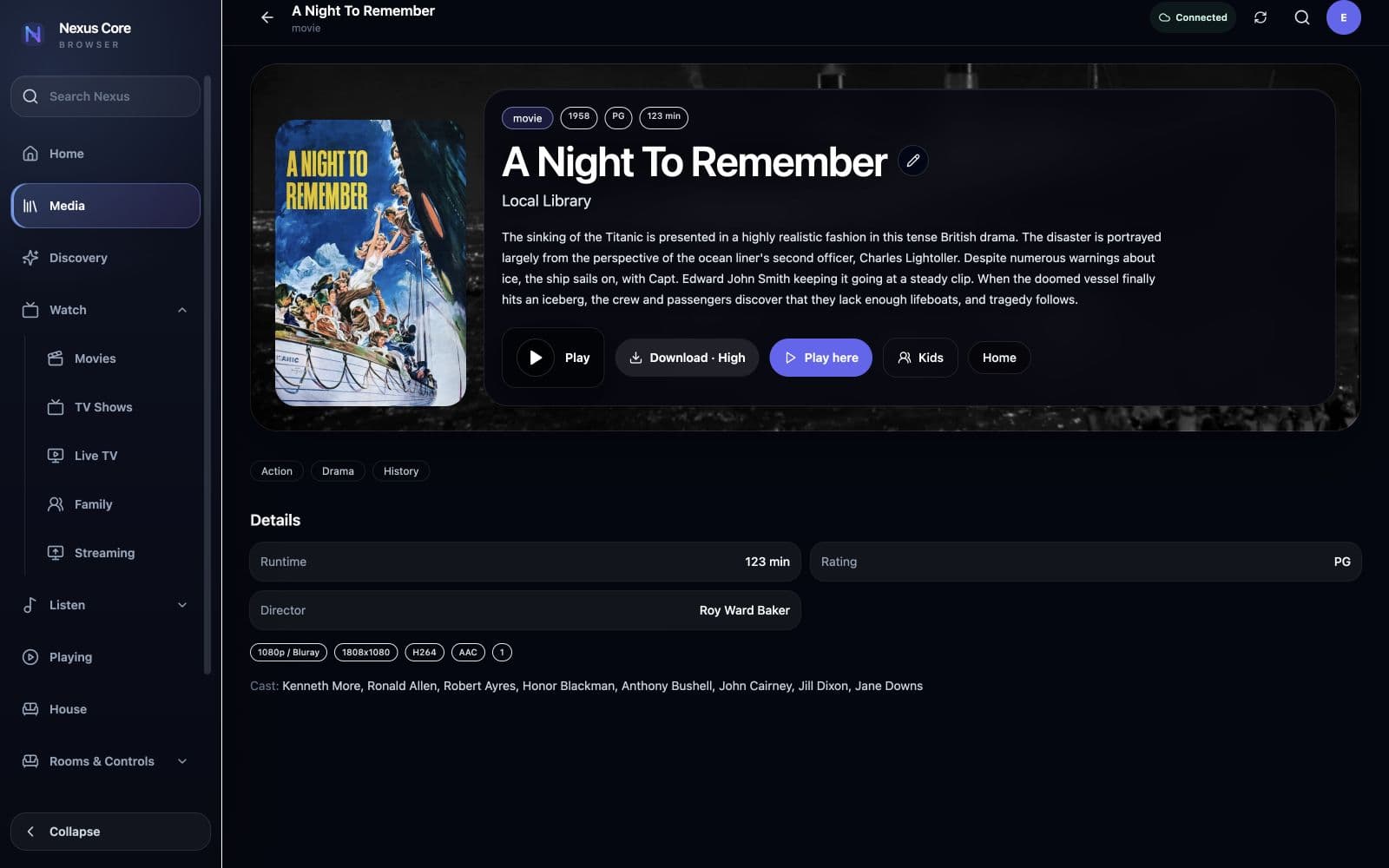
Local and network video Browse films and television from local storage or SMB and NFS shares without copying the originals.
Films, series and episodes See movies, programmes, seasons and episodes in a clear, artwork-led library.
Rich information Add synopsis, cast, genres, runtime, ratings, artwork and useful technical details.
Fix incorrect matches Correct the occasional wrong title, missing file or unsuitable artwork without rebuilding the library.
Continue watching Return to unfinished films and episodes from the right place.
Personal watched progress Keep viewing position, watched status and favourites separate for each profile.
Choose where to watch Play on the device in front of you or send the title to a preferred room screen.
Technical playback details See format and quality information when it is useful, without cluttering everyday browsing.
Offline viewing Prepare selected films and episodes for supported devices away from the home network.
Streaming-service shortcuts Open supported native services on the selected television alongside your own library.
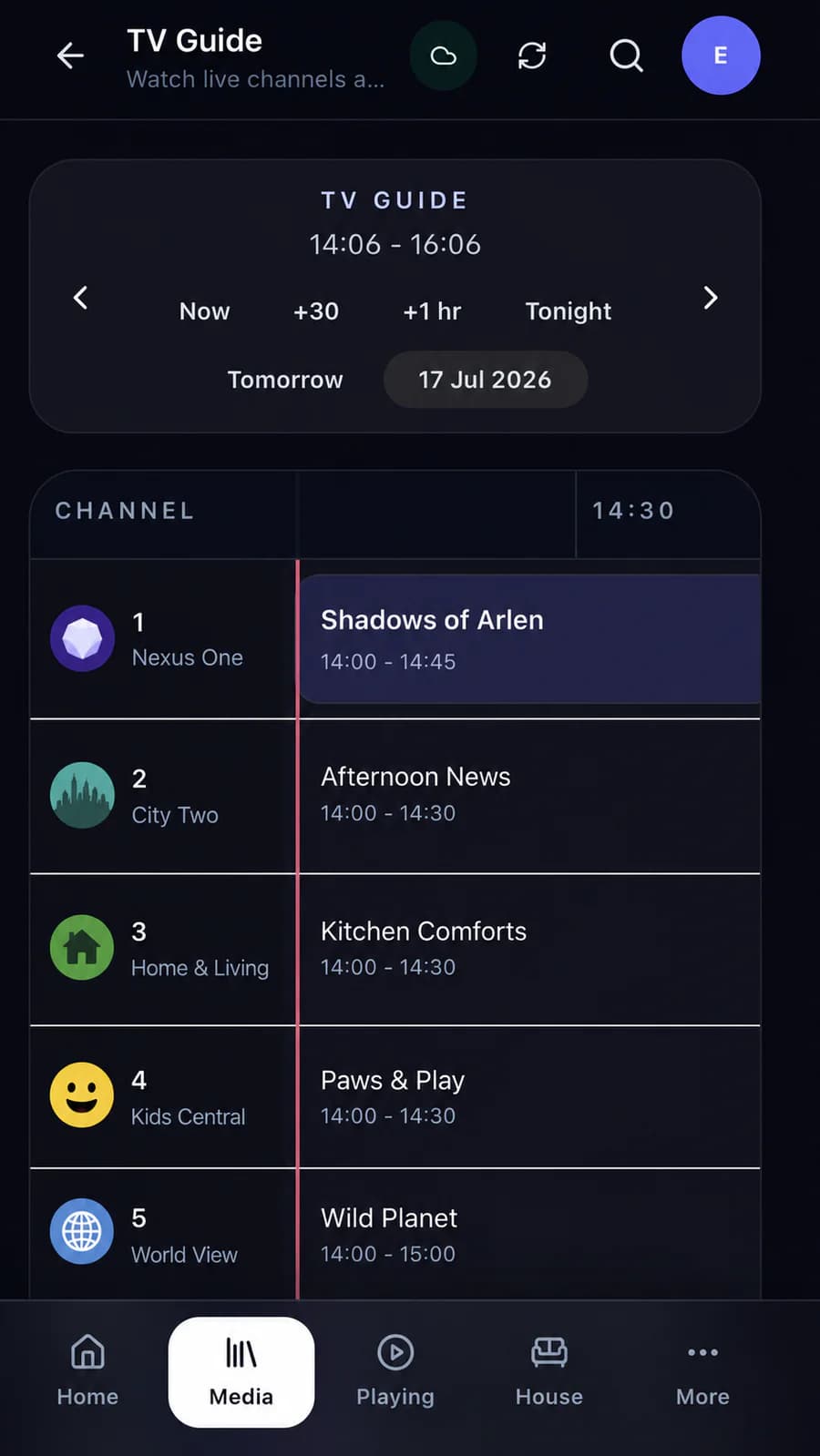
Compatible tuners and streams Bring supported live television sources into Nexus.
Programme guide See what is on now and what is coming next in a familiar guide.
Channel browsing Move between channels without leaving the Nexus viewing experience.
Room-aware viewing Choose the room and let Nexus use its preferred television.
Mobile TV remote Use the Nexus mobile interface for supported live-TV and television controls.
The same profile context Keep the active person and room consistent as viewing moves to the television.
Household photo library Keep uploaded photographs together in a library the household can enjoy.
Albums Group photographs into holidays, family events or any collection that matters.
Memories Rediscover photographs through useful memory collections.
Places Browse photographs by location when suitable information is available.
Television slideshows Show a chosen album on a supported Nexus TV Endpoint.
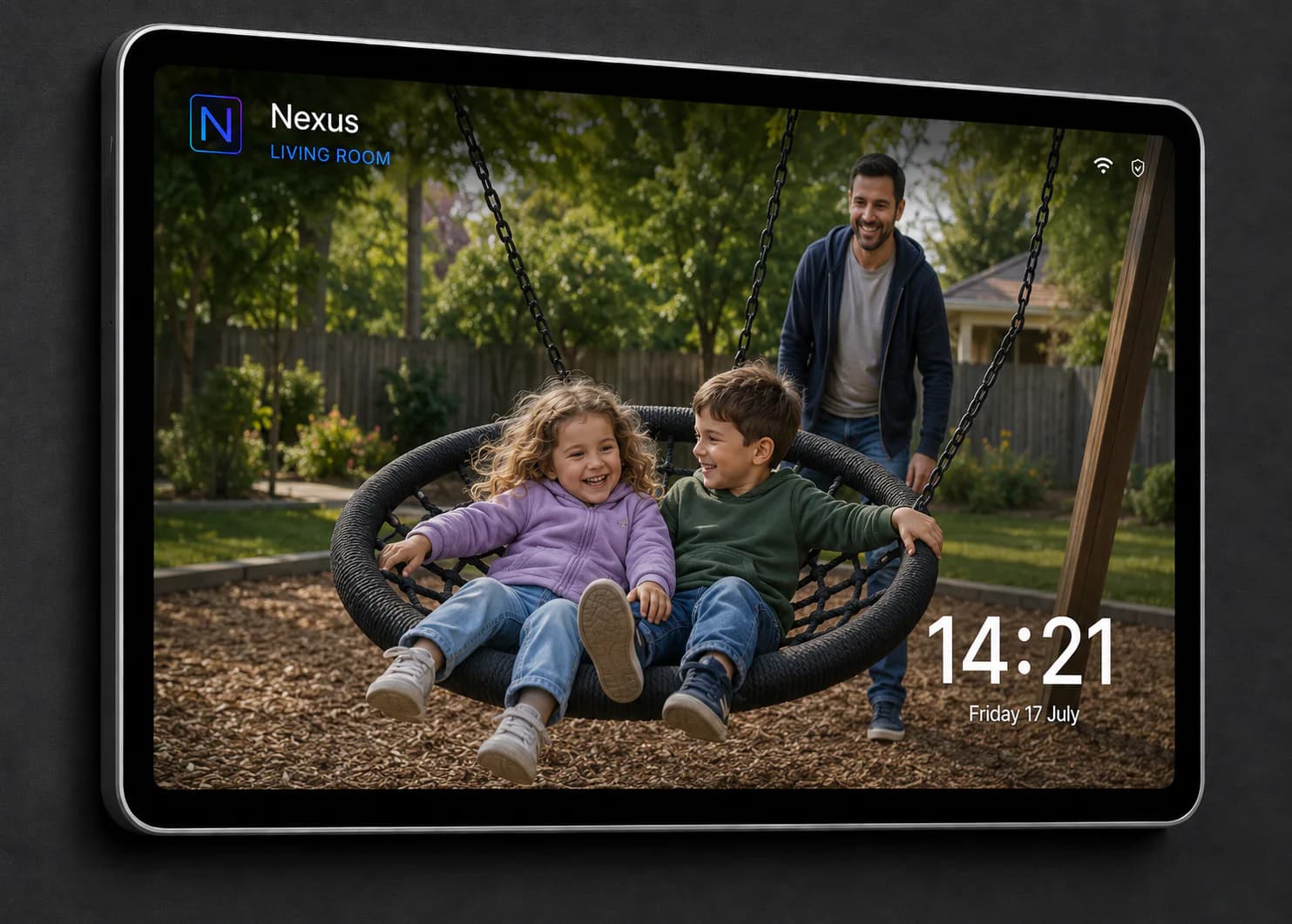
Idle-screen photographs Use selected albums on shared television and tablet displays when they are not in active use.
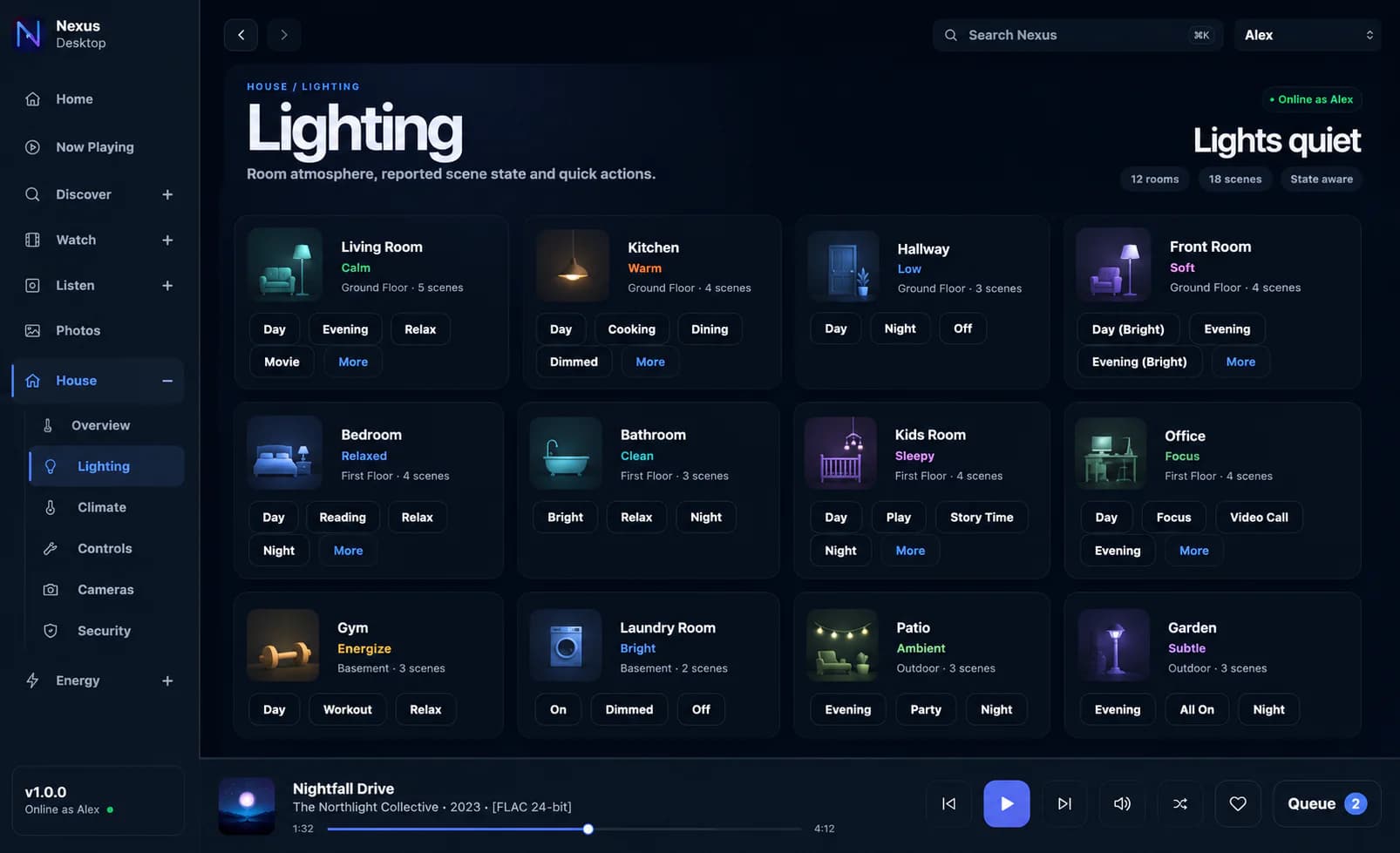
Room lighting See and control the useful lighting choices for the room you are in.
Whole-home view Check lighting across every room from one clear screen.
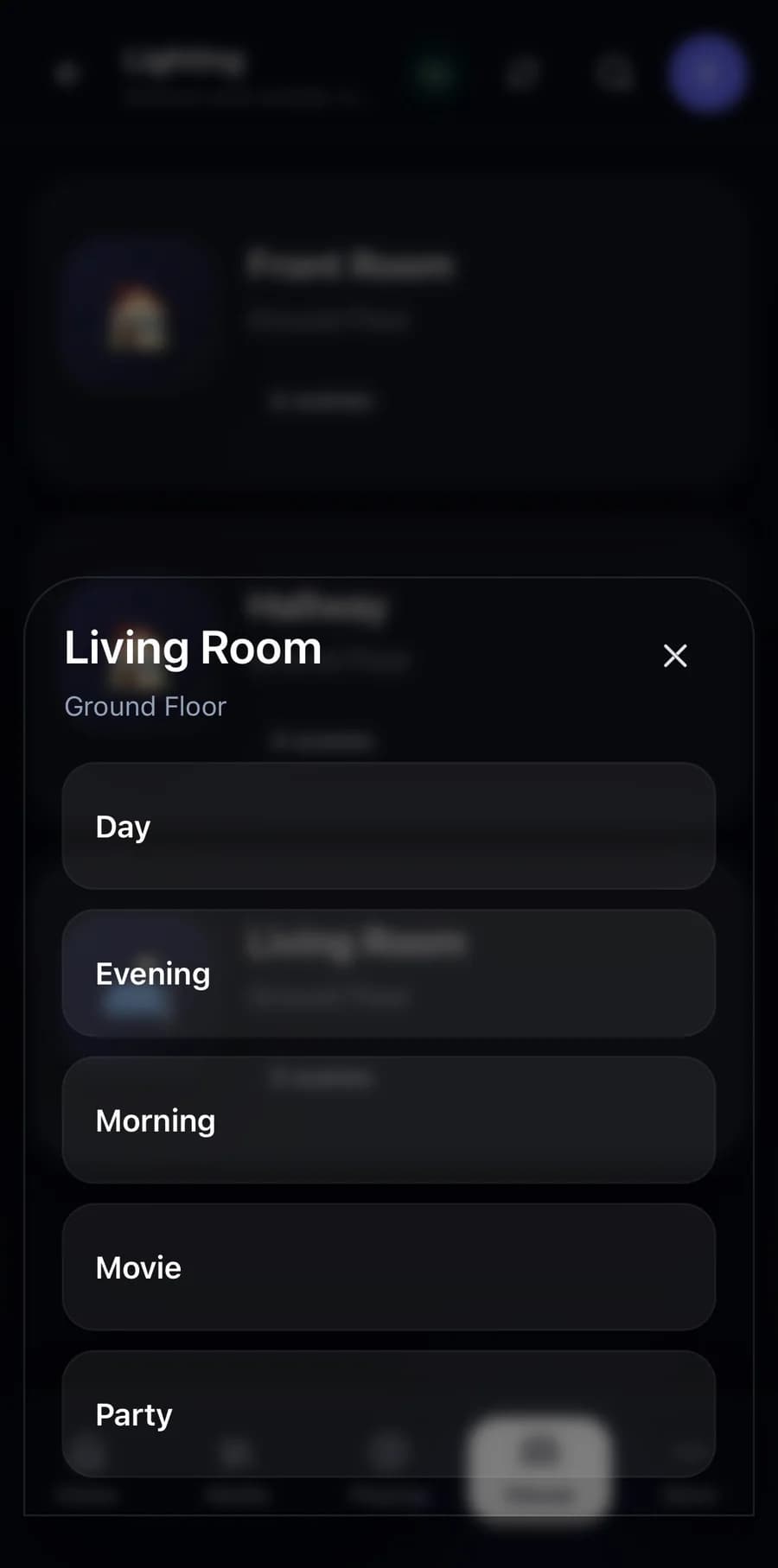
Lighting scenes Run familiar choices such as Relax, Bright, Dinner or Night.
Home Assistant lighting Use compatible lights, scenes, scripts and automations already configured in Home Assistant.
Homey lighting Use compatible lights, scenes and Flows already configured in Homey.
Reported state See the current lighting state when the connected platform provides it.
Shared controls Reach the same scenes from mobile, desktop, a room tablet or supported Nexus controls.
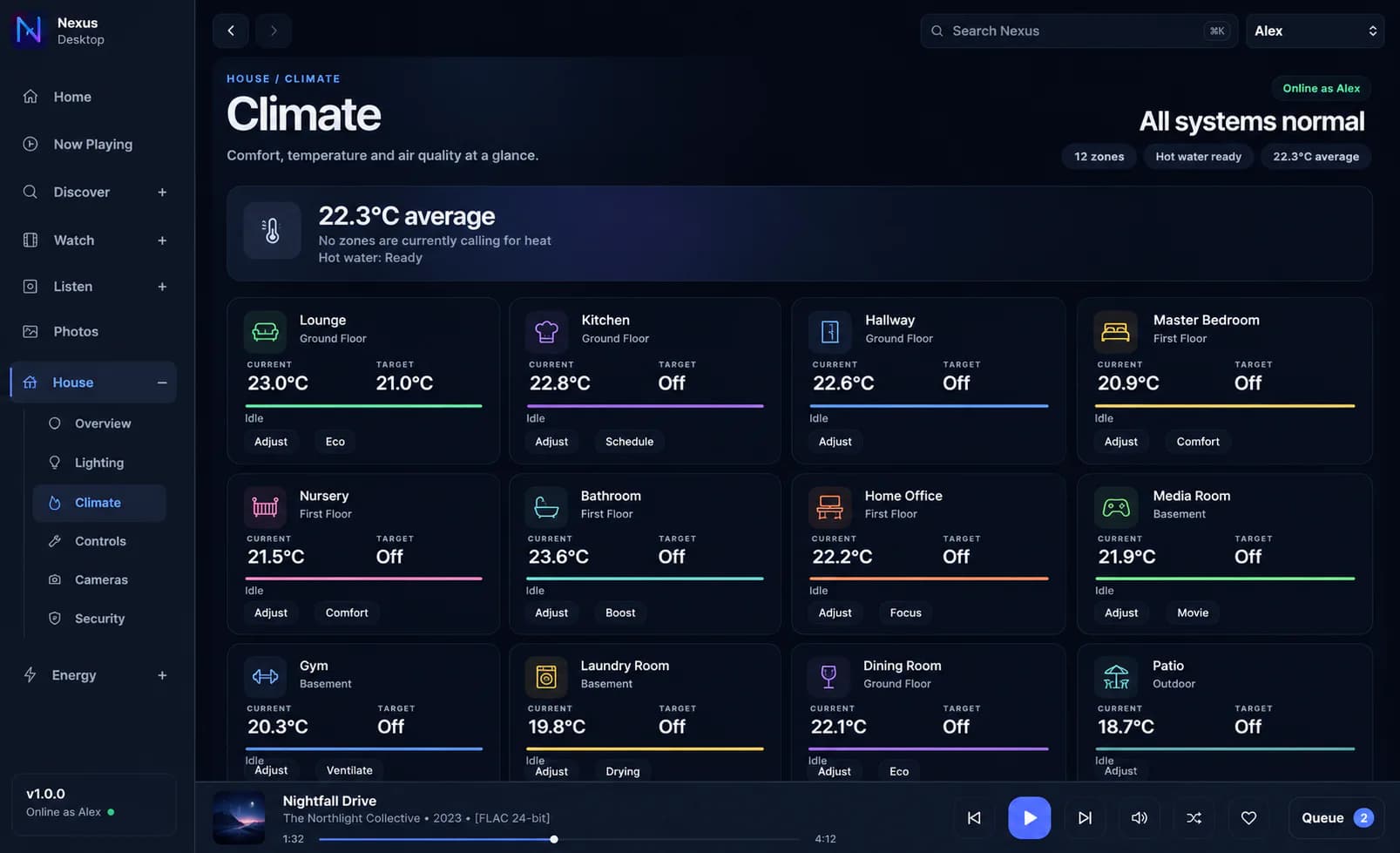
A thermostat for each room Give every configured room its own temperature, target and mode.
Heating and cooling Control supported heating, air conditioning, reversible heat pumps and fans.
Weekly comfort schedules Set the temperatures you want at different times of the week.
Temporary holds Change a target for a while, then return to the normal schedule.
Holiday and frost protection Keep the property safe and efficient when nobody is home.
Tado Bring supported homes, zones, thermostats, valves, sensors and hot water into Nexus.
Heatmiser Use supported thermostats, sensors and zones through the same room-based view.
Home Assistant and Homey devices Use compatible temperature sensors and heating or cooling controls already connected there.
Hot water See its state and schedule, boost it temporarily or return it to normal.
Comfort history Review runtime, changes and how quickly a room responds.
Live cameras Open compatible live camera views from Nexus.
RTSP cameras Add supported cameras using their direct network stream.
Ubiquiti Protect Bring supported Protect cameras, doorbells, snapshots and events into Nexus.
Ubiquiti Access See supported doors, readers and useful access state.
Ring Bring supported Ring cameras, doorbells and relevant security state into Nexus.
Camera groups Arrange useful combinations such as Entrances or Outside.
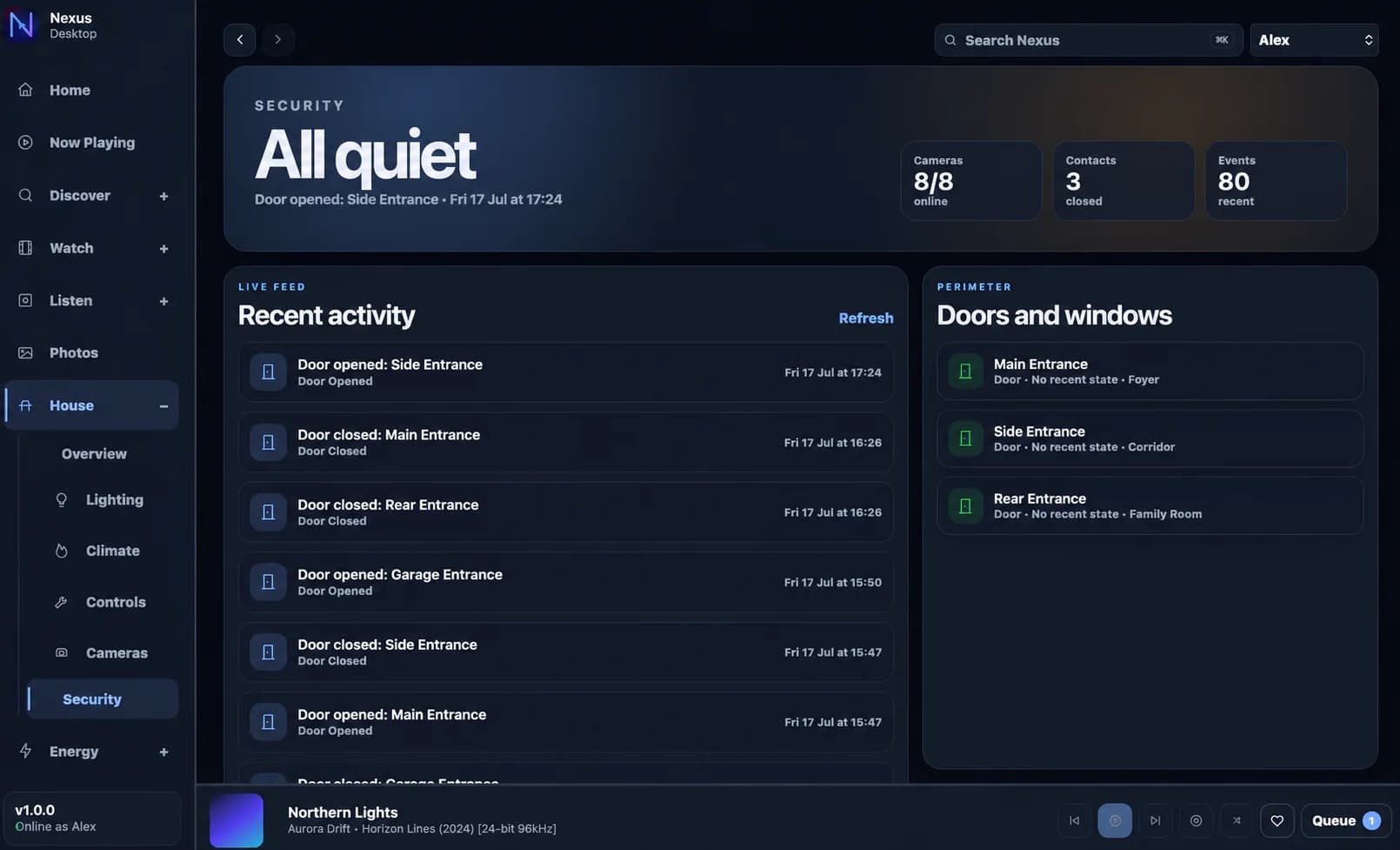
One event timeline See doorbell, access and provider events in chronological order.
Doors and perimeter Check useful open, closed and recent-access information at a glance.
Camera on the television Send one camera or a group to a supported Nexus TV Endpoint.
Doorbell television overlay Show a quiet notification or live view on a supported room television.
Home Assistant Import compatible devices and run their actions, scenes, scripts and automations over the home network.
Homey Import compatible devices and run their actions, automations and Flows over the home network.
Link what is already configured Connect a friendly Nexus control to the device that already exists in Home Assistant or Homey.
Simple household actions Turn a technical command into a clear choice such as Goodnight or Movie Time.
Device groups Keep related controls together in a way that makes sense to the household.
Webhook systems Trigger and receive useful state from other systems that support webhooks.
Confirm important actions Ask before running controls that should not be triggered accidentally.
Action history See who ran an action, when it happened and whether it worked.
Voice control In development Use natural, room-aware commands for supported media and household actions.
Electricity, gas and water Keep the household’s main utilities together.
Solar and batteries Include generation, export and stored energy where suitable readings are available.
EV charging and heat pumps Track important high-use services separately when useful.
Custom utilities Add another metered service that matters to the property.
Meter readings Enter a reading manually, import earlier history or receive authorised readings by webhook.
Tariffs Record rates, standing charges and export payments.
Bills Keep billing periods and totals beside the usage that produced them.
Period comparisons Compare current use and spending with an earlier period.
Cost projections Estimate where the current month is heading before the bill arrives.
Scheduled Nexus actions Run a configured household action at the times you choose.
Weekly climate schedules Set comfortable room temperatures for different times and days.
Temporary overrides Change something for now without losing the normal routine.
Resume the schedule Return a room or hot-water service to its usual plan with one action.
Holiday temperature Use a safer, more efficient setting while the property is empty.
Frost protection Protect the property without heating it as though somebody were home.
Scheduled-action history Check when an action ran and whether it completed successfully.
Nexus TV Endpoint app Pair a compatible Google TV or Android TV device with Nexus.
Assign it to a room Make the television the natural viewing destination for that space.
Room-aware playback Choose the room and let Nexus select its preferred television.
Apple TV and AirPlay video Send supported video to a configured Apple TV.
Native streaming apps Open Apple TV+, Netflix, Prime Video, Disney+ and Paramount+ on supported televisions.
Television remote Control compatible room televisions from Nexus mobile and touch interfaces.
Music companion screen Turn the television into a rich Now Playing display during room audio.
Camera to TV Open one live camera or a useful group on the room television.
Doorbell overlays Show a discreet event notification or live view without changing apps manually.
Idle dashboards Show time, room identity, household state and selected photographs when the screen is idle.
Managed endpoint updates Keep pairing, connection, mode, version and update information in Nexus Console.
Shared room dashboard Keep the room’s most useful information and actions ready for anyone to use.
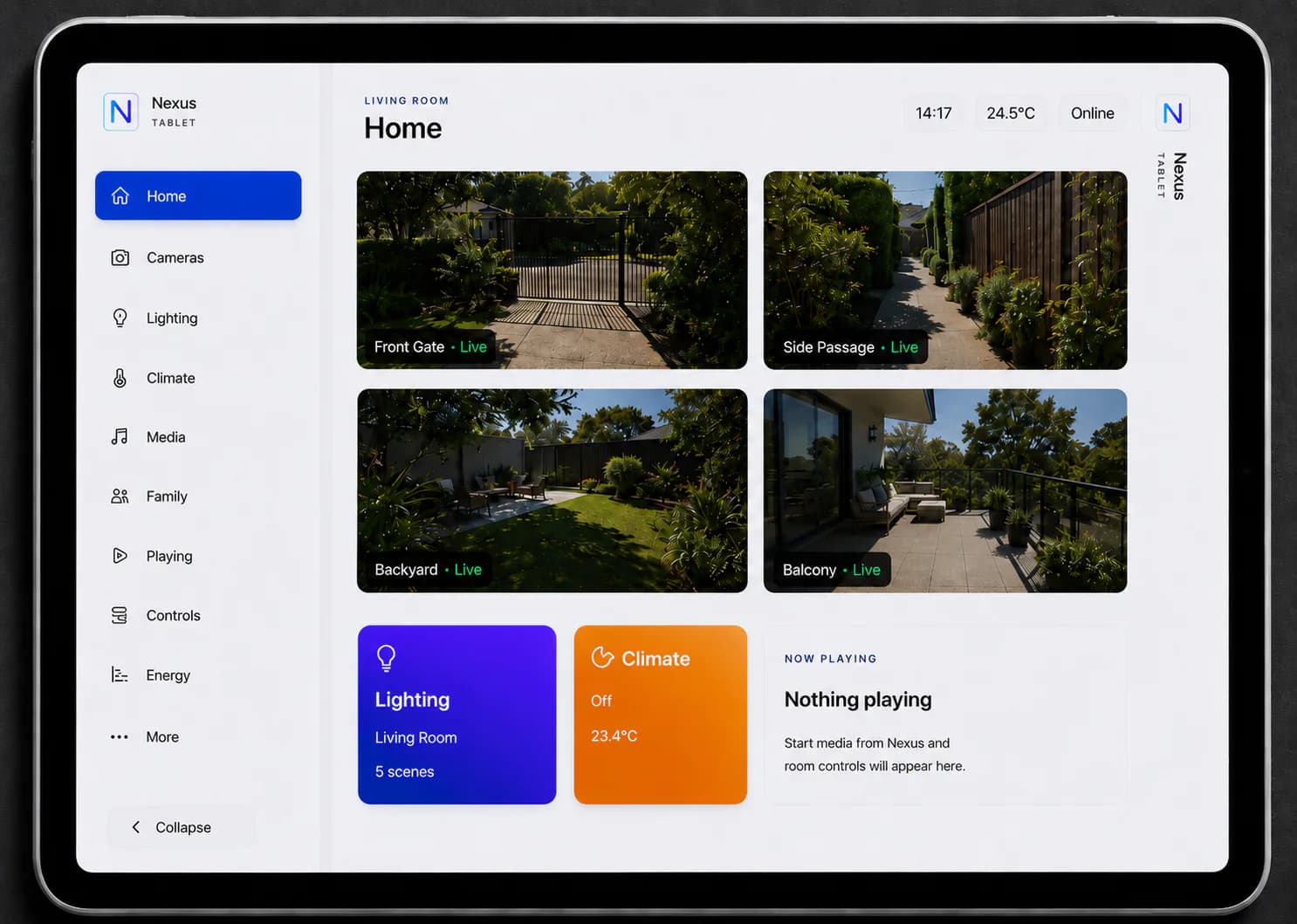
Nexus Tablet Endpoint Pair and manage a supported dedicated tablet experience.
Room assignment Give the tablet the right controls and context for where it lives.
Media control Browse, start and manage supported playback from the shared screen.
Lighting and scenes Reach the room’s everyday lighting choices without another app.
Climate See room temperature, target and supported comfort controls.
Cameras and security Open useful live views and recent household security information.
Photo screensaver Show a selected household album when the tablet is idle.
Nexus Touch Slate Use the purpose-built tabletop or wall-mounted Nexus shared interface.
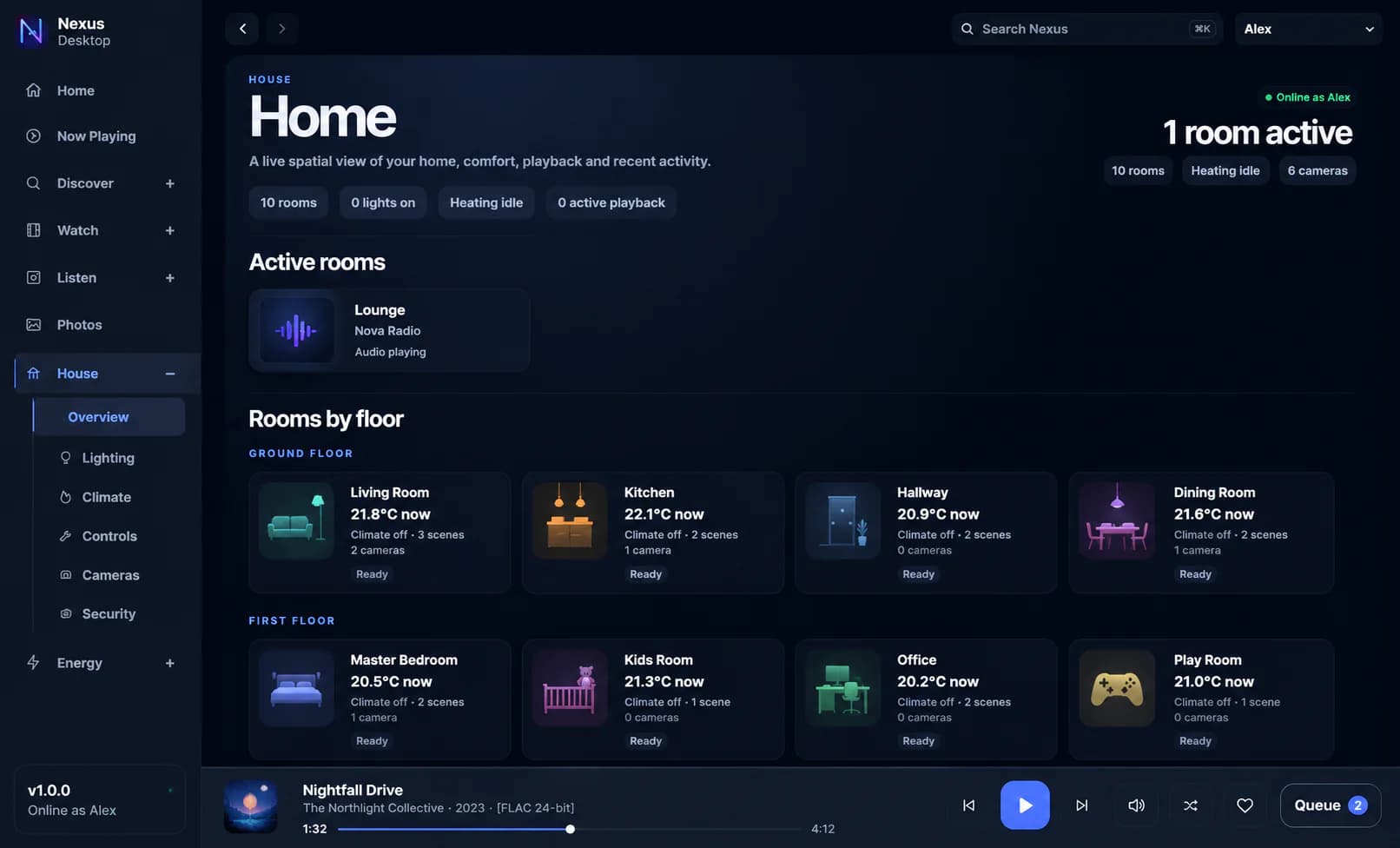
Floors and rooms Organise the property using the places everybody already recognises.
Preferred speakers and screens Choose the normal audio and video destinations for each room.
Live room state See playback, comfort, cameras and useful activity by room.
Personal profiles Give each person their own favourites, history and preferences.
Personal progress Keep listening and viewing progress with the right person.
Library visibility Choose which libraries and content each profile can see.
Child access Apply suitability rules and send restricted requests to an adult for approval.
Switch person without losing the room Change who is browsing while the current room stays selected.
Search your own library first Find the films, programmes and music already available at home before looking elsewhere.
One search across media Look for useful results without remembering which library or service holds them.
Discovery rails Browse relevant suggestions when optional discovery providers are configured.
Radarr requests Send supported film requests into the household’s existing Radarr workflow.
Sonarr requests Send supported television requests into the household’s existing Sonarr workflow.
Lidarr requests Send supported music requests into the household’s existing Lidarr workflow.
Request tracking See what was requested and follow its progress without exposing the technical system underneath.
Windows and Mac Use the complete Nexus desktop experience with local playback and update awareness.
Web browser Open the responsive Nexus Core interface on a modern browser.
Android and iPhone Reach the same media, rooms and home controls from a phone.
Television interface Browse and control Nexus from a supported television endpoint.
Nexus Touch Remote Combine familiar tactile buttons with direct Nexus playback and room control.
Nexus Touch Switch Keep lighting, climate, scenes, media and pinned room controls on the wall.
Consistent navigation Find rooms, people and actions in the same familiar places on every interface.
Runs in your home Keep the main Nexus experience and essential household state on the local server.
Original files stay in place Index and play media from existing storage rather than making a duplicate library.
Private playback links Let supported endpoints play media without revealing storage passwords or network paths.
Efficient seeking Jump through compatible media without copying the whole file first.
Fast local catalogue Keep useful library and interface information close for responsive browsing.
Protected saved credentials Encrypt stored library and integration secrets using the Nexus system key.
Background services Keep playback, metadata, climate, security and integrations working without an open browser.
Controlled offline media Prepare selected media for supported offline use without exposing the live home-control system.
Nexus System Console Manage libraries, integrations, rooms, devices, profiles and endpoints in one place.
Library review Resolve uncertain matches, unmatched files and missing items without starting again.
Endpoint management See pairing, room, connection, mode, version and current state for managed screens.
Integration health Keep track of the systems Nexus depends on and whether they are connected.
Background processing Maintain metadata, playback, climate, security and provider updates automatically.
Clear action records Review important household actions and whether they succeeded.
Professional installation Use a platform designed by people who install audio, video and automation systems for a living.
Room for specialist systems Let each underlying platform keep the setup and logic it already handles well.
Something missing? There is a good chance Nexus can already reach it. Home Assistant, Homey and webhook support cover many devices without a separate direct integration. Cameras, AV equipment and systems that send richer live information sometimes need a dedicated connection.
Check or request an integration See it for yourself The feature list is long. Living with it feels beautifully simple. Browse genuine Nexus screens across desktop, tablet and mobile, then try it with your own media and compatible systems.
 NEXUS
NEXUS