 NEXUS
NEXUS← All features
03 · 10 capabilities
Choose the room, not the protocol.
Start with what you want to enjoy, choose a room and let Nexus resolve the preferred television, speaker or local player.

The Nexus difference
Desktop, phone, shared tablet, television and dedicated hardware all speak the same simple playback language.
Streaming directory
Your services, ready on the television.
Open the service you want through the supported native app on the chosen Nexus TV Endpoint or Apple TV. Nexus keeps the room and screen at the centre of the experience.
See it in context
More than one screen. One connected experience.
01
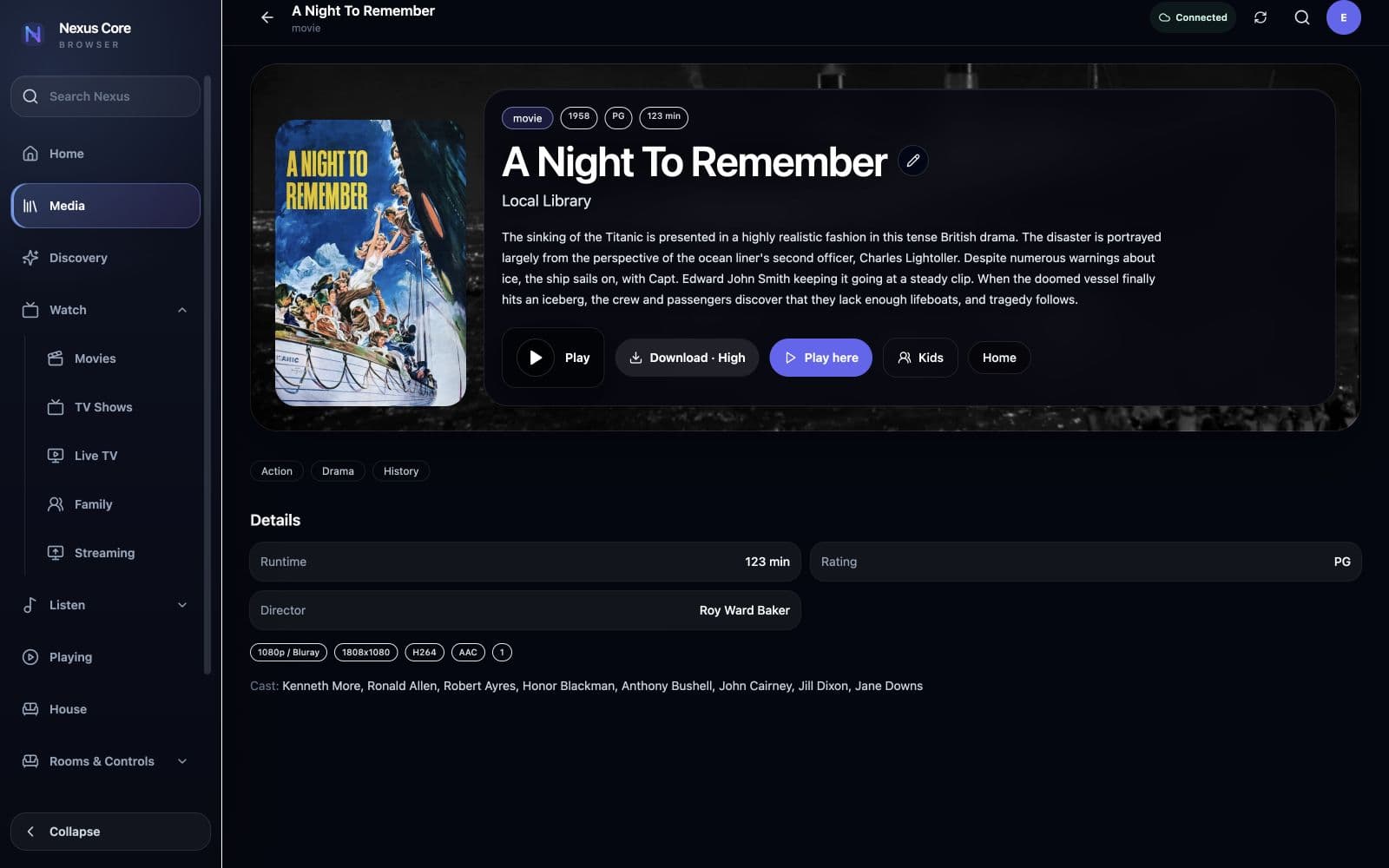
Film, ready to play
Choose the title first, then let Nexus take it to the right screen.
02
Television, episode by episode
Seasons, episodes and progress remain clear before playback begins.
03
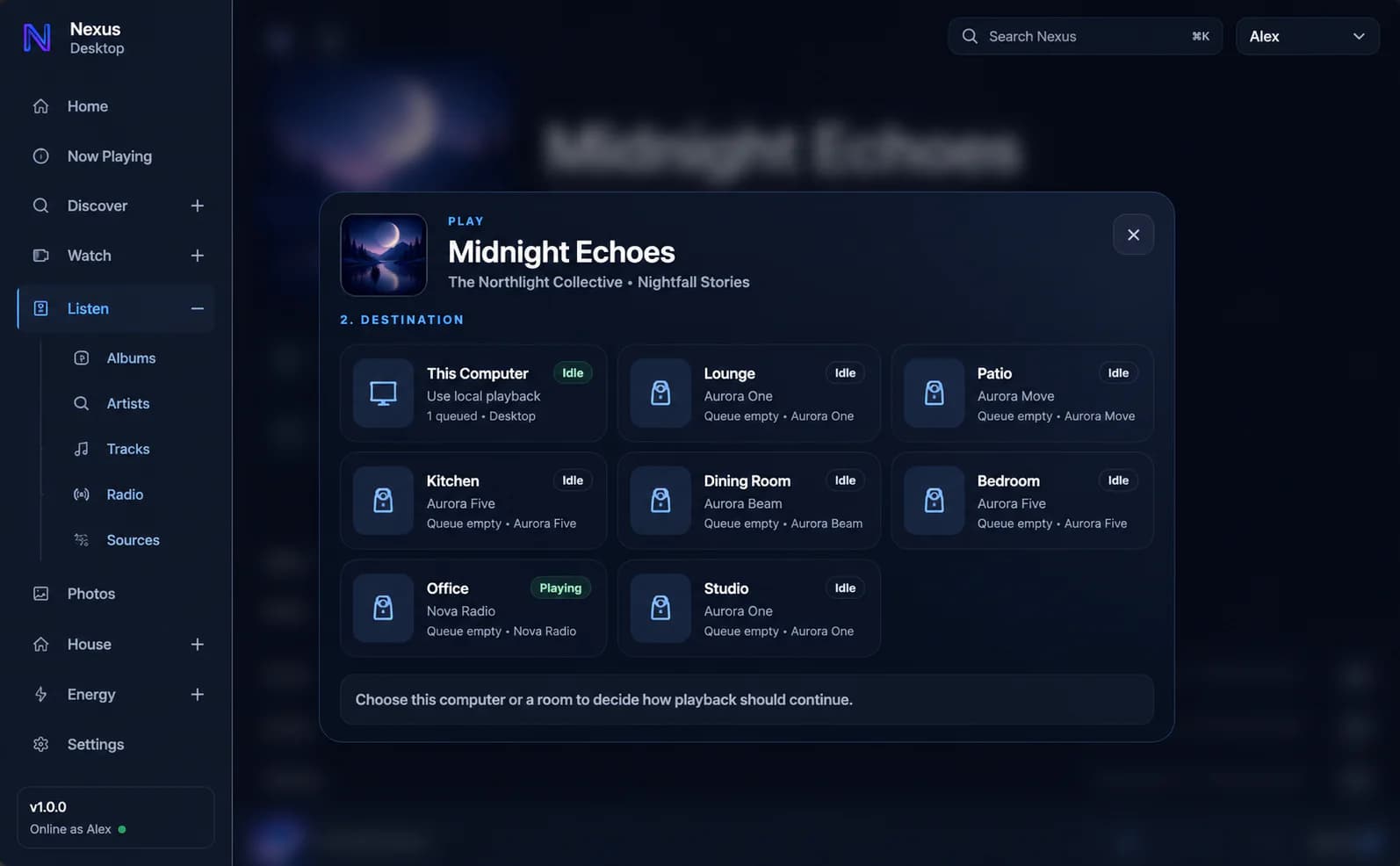
Choose the room
Nexus resolves the player and protocol after the household chooses a familiar destination.

04
A shared-screen experience
The interface belongs naturally on the television and in the room around it.
Room-aware destinations
Select a recognisable room instead of choosing from a technical list of protocols and devices.
Nexus TV Endpoint
Pair a purpose-built television endpoint, assign its room and manage playback, dashboards and updates.
Apple TV
Send supported Nexus playback to configured Apple TV devices.
Streaming services
Launch Apple TV+, Netflix, Amazon Prime Video, Disney+ and Paramount+ through supported native TV apps.
Playback continuity
Resume progress, track completion and carry the active profile into supported playback sessions.
Television remote
Control compatible room televisions from Nexus mobile and dedicated touch interfaces.
Audio companion display
Turn a television into a rich Now Playing screen during room audio sessions.
Camera to TV
Send an individual live camera or a useful camera group to a Nexus TV Endpoint.
Idle dashboards
Show time, room identity, household state and a selected photo album when a shared screen is idle.
Managed endpoints
Monitor pairing, room, connection, mode, version, heartbeat and playback state centrally.
Experience Nexus